Serving Static Site from S3 Bucket over HTTPS with Cloudfront
Configuring for HTTPS

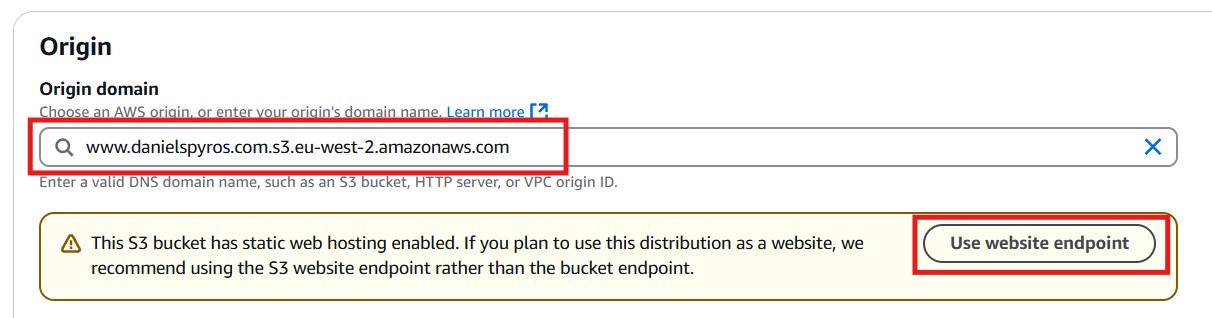
Click the use website endpoint. This will change it to www.danielspyros.com.s3-website.eu-west-2.amazonaws.com.
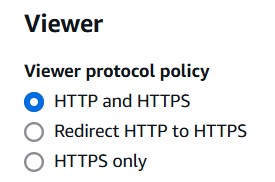
Leave it on “HTTP Only” and HTTP port 80
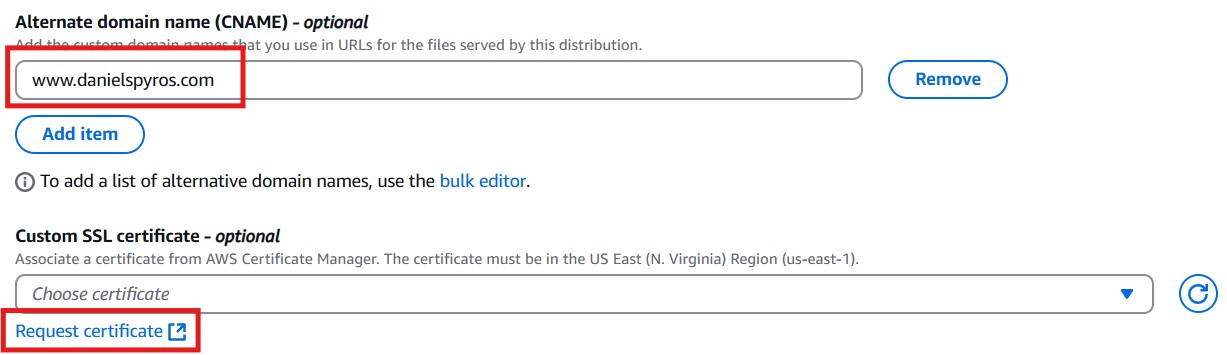
Request a public certificate, then click Next.
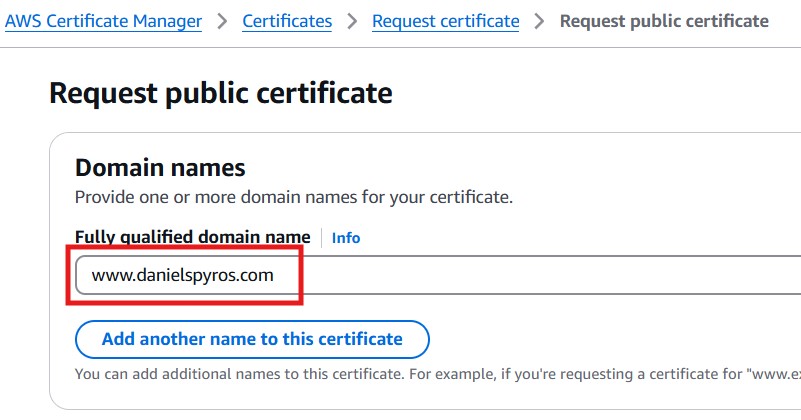
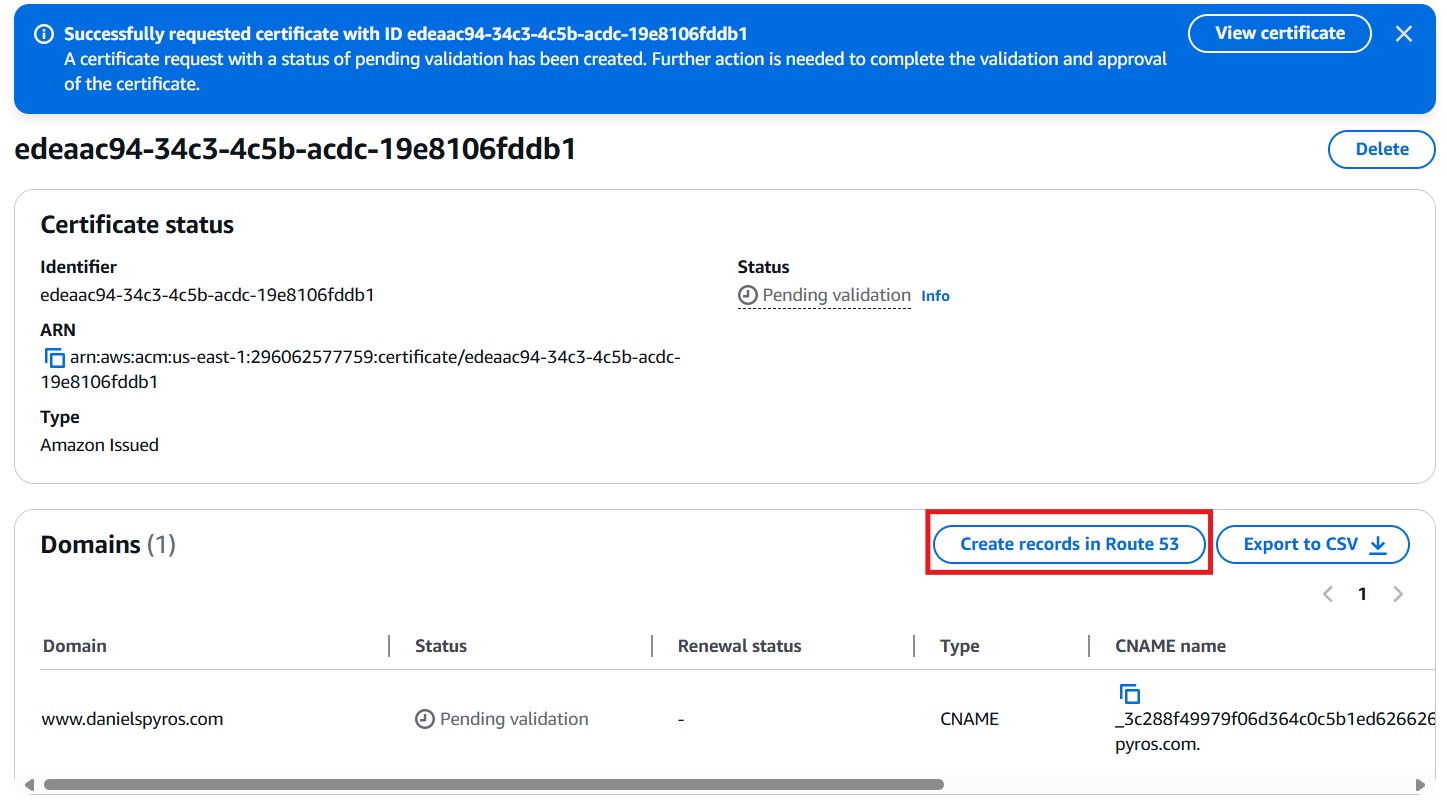
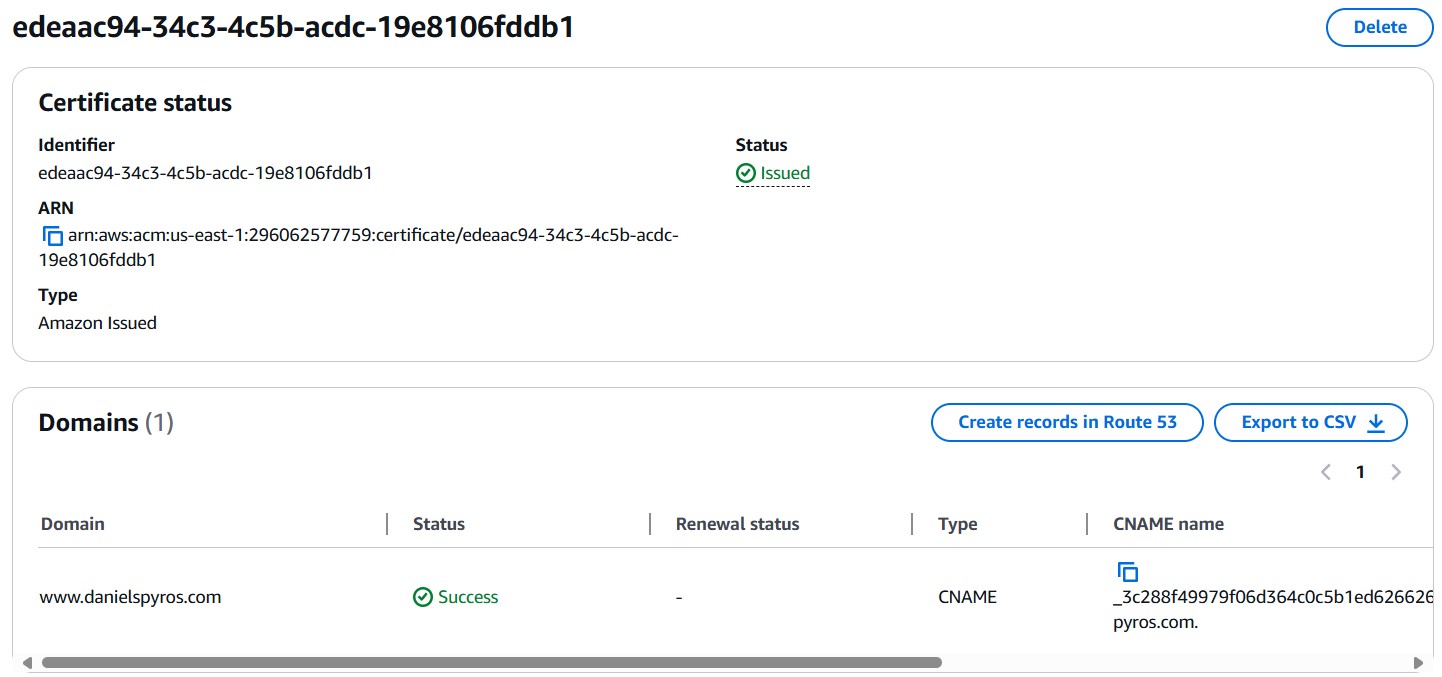
Once the records are created in Route53, wait a couple minutes and refresh the certificate page. You should see that it is now issued.
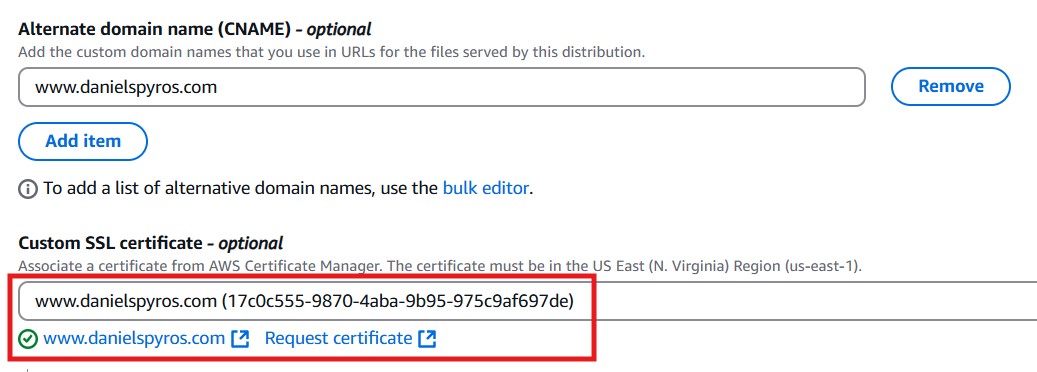
Now that the certificate is issued. Select it in the cloudfront distribution that we were creating.
Click Create Distribution. The distribution should now start deploying, this can take a few minutes. You can see its status here:

It will change to a date once it has finished.
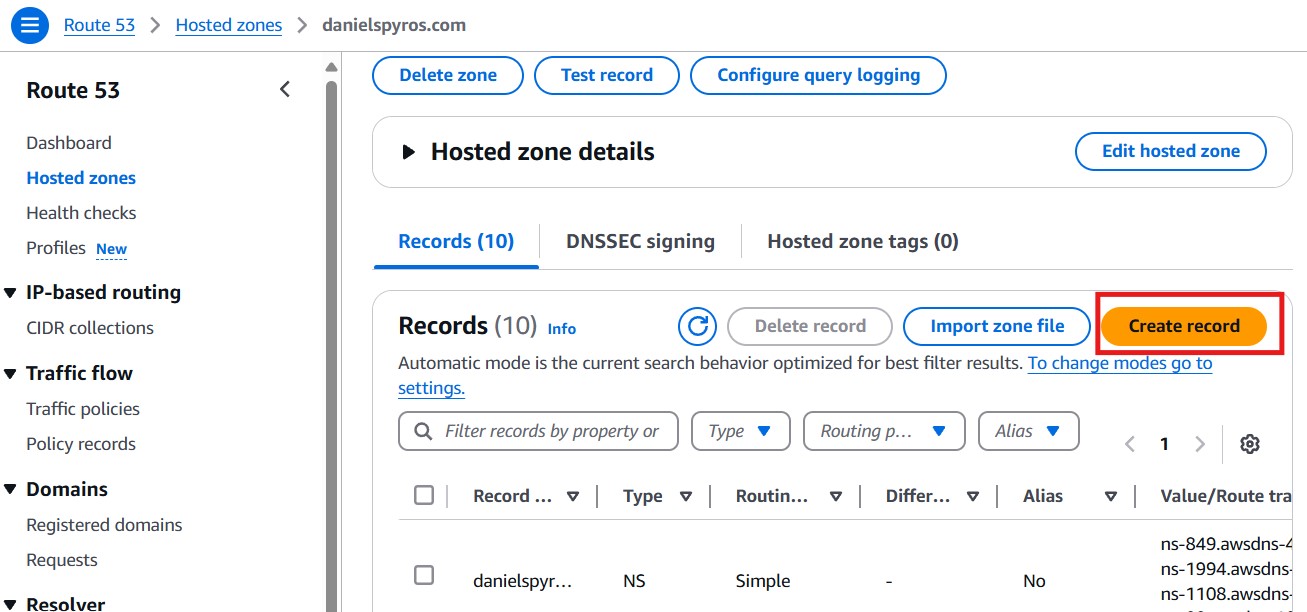
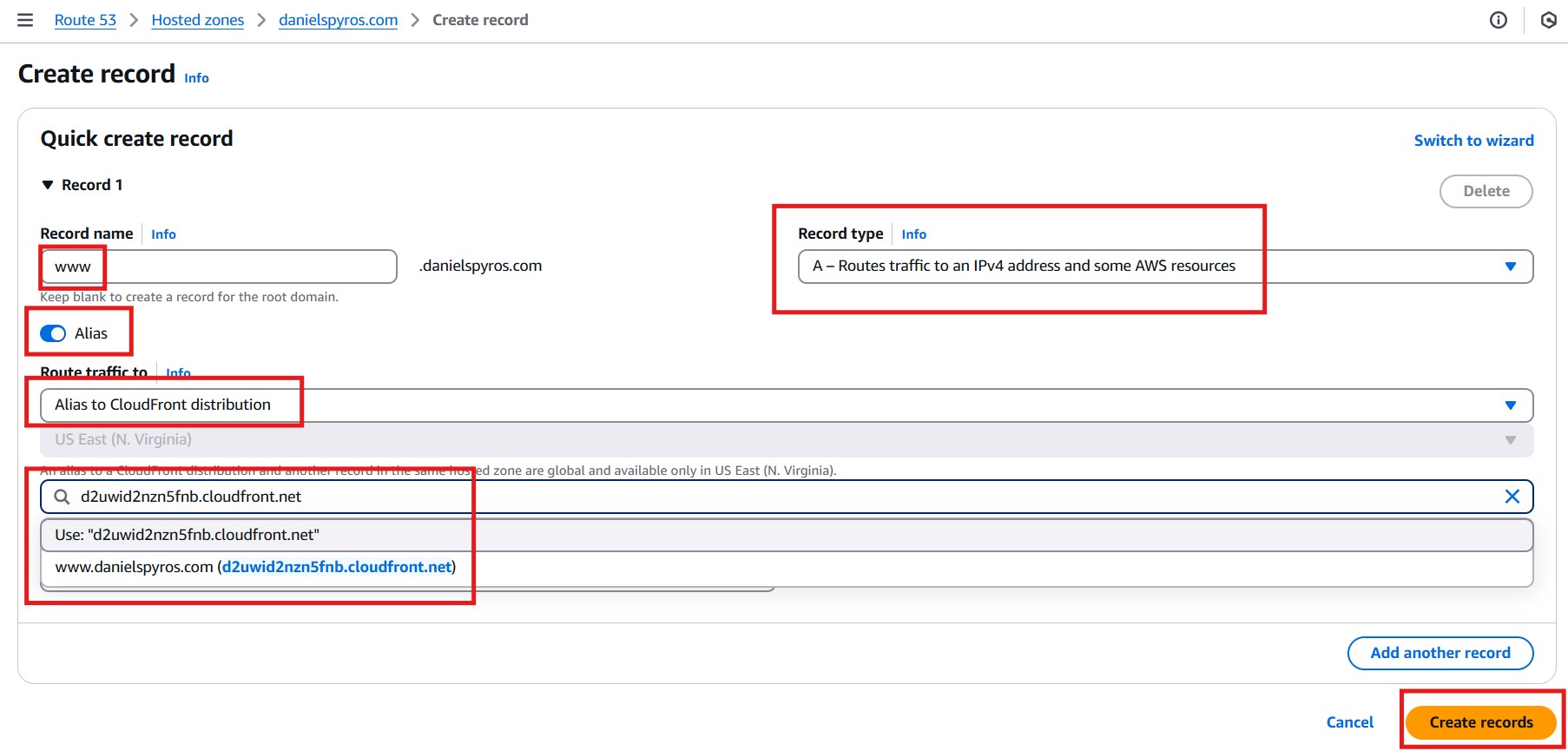
Leave the Routing Policy on Simple Routing.
CICD
Add permissions to S3 Bucket to allow uploading to bucket and cache invalidations of cloudfront. Not sure if this is for cache invalidations actually. might be configrued in IAM.
1
2
3
4
5
6
7
8
9
10
11
12
13
14
15
16
17
18
19
20
21
22
23
24
25
26
27
28
29
30
31
32
33
34
35
36
37
38
39
40
41
42
43
44
{
    "Version": "2008-10-17",
    "Id": "PolicyForCloudFrontPrivateContent",
    "Statement": [
        {
            "Sid": "AllowCloudFrontServicePrincipal",
            "Effect": "Allow",
            "Principal": {
                "Service": "cloudfront.amazonaws.com"
            },
            "Action": "s3:GetObject",
            "Resource": "arn:aws:s3:::www.danielspyros.com/*",
            "Condition": {
                "StringEquals": {
                    "AWS:SourceArn": "arn:aws:cloudfront::296062577759:distribution/E3OSAEDN2J894S"
                }
            }
        },
        {
            "Sid": "AllowPublicReadAccess",
            "Effect": "Allow",
            "Principal": "*",
            "Action": "s3:GetObject",
            "Resource": "arn:aws:s3:::www.danielspyros.com/*"
        },
        {
            "Sid": "AllowJekyllGithubAction",
            "Effect": "Allow",
            "Principal": {
                "AWS": "arn:aws:iam::296062577759:user/DanielBlogGithubActions"
            },
            "Action": [
                "s3:PutObject",
                "s3:GetObject",
                "s3:ListBucket",
                "s3:DeleteObject"
            ],
            "Resource": [
                "arn:aws:s3:::www.danielspyros.com",
                "arn:aws:s3:::www.danielspyros.com/*"
            ]
        }
    ]
}